Install nanostack, describe what you want in plain words, and follow one real run from idea to finished work. Every screenshot on this page is real output from a real run.
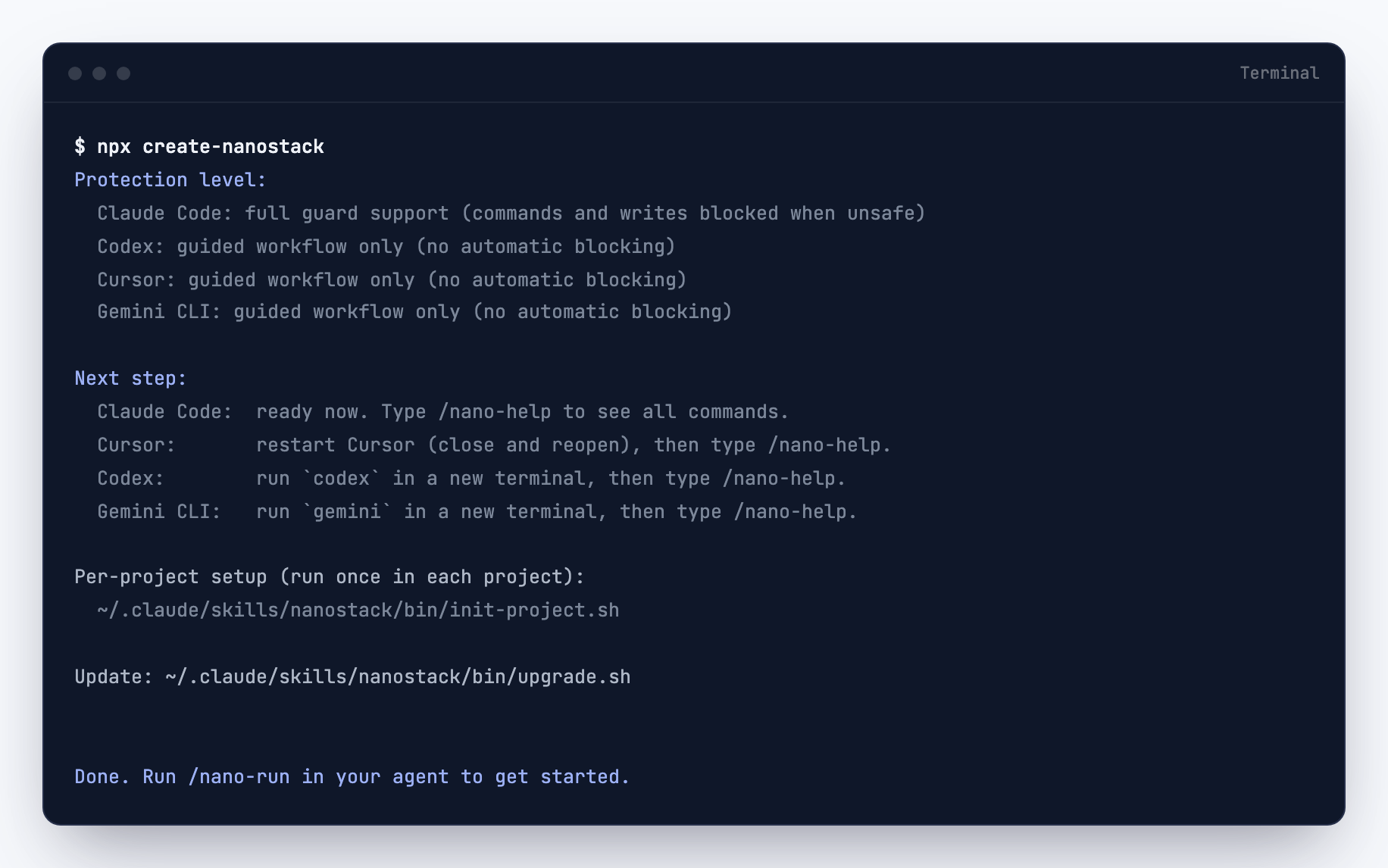
One command. The installer detects which agents you have and configures each one.
Open the Terminal app. On Mac: Cmd + Space, type Terminal, press Enter.
Paste this and press Enter:
When it finishes, type claude to open Claude Code. Type /nano-help to confirm the commands are there.
The end of a real install. Note the honest part: full enforcement on Claude Code, guided workflow on the others.
Your first run, command by command
A sprint is just a conversation with checkpoints. You type a few commands; the agent does the work and leaves a record at every step. This walkthrough uses a real example: adding persistence to a small todo app.
1
/nano-runSet up the project
Run it once in your project. It asks a few plain questions (what is this project, how careful should it be) and configures everything. No config files to edit.
2
/thinkSay what you want, answer questions
Describe the goal in your own words: "I want my todo list to survive page reloads." The agent asks one question at a time, proposes two or three ways in with trade-offs, and recommends the smallest one. The agreement is saved as a brief so it cannot be forgotten later.
3
/nanoGet a plan before any code
The agent writes down which files it will touch, what could go wrong, and what is out of scope. You approve it. From here on, everything is measured against this plan.
4
It builds
The agent writes the code, the way it always does. The difference: it builds what the plan says, and nothing else.
5
/reviewThe work gets checked against the plan
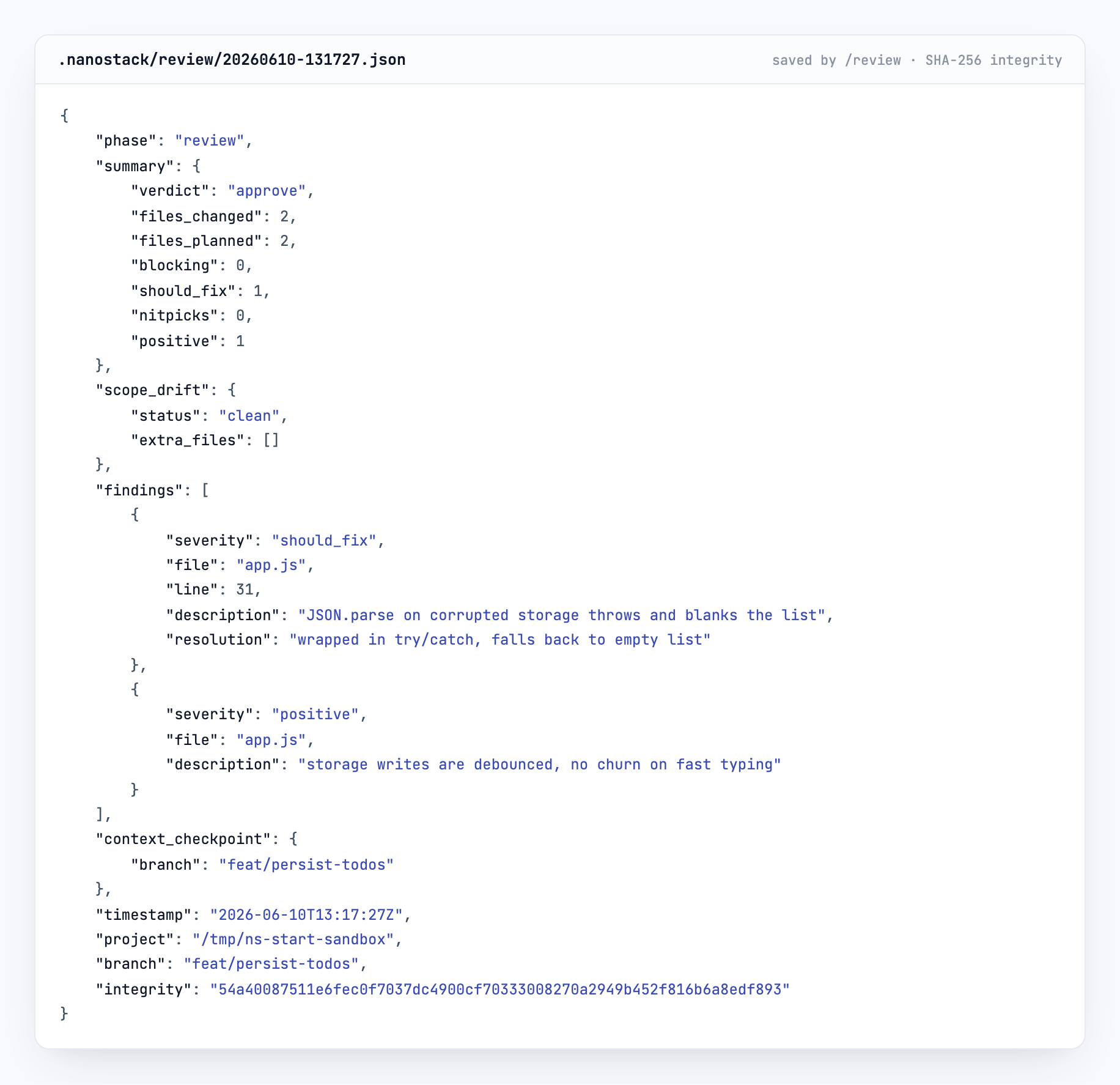
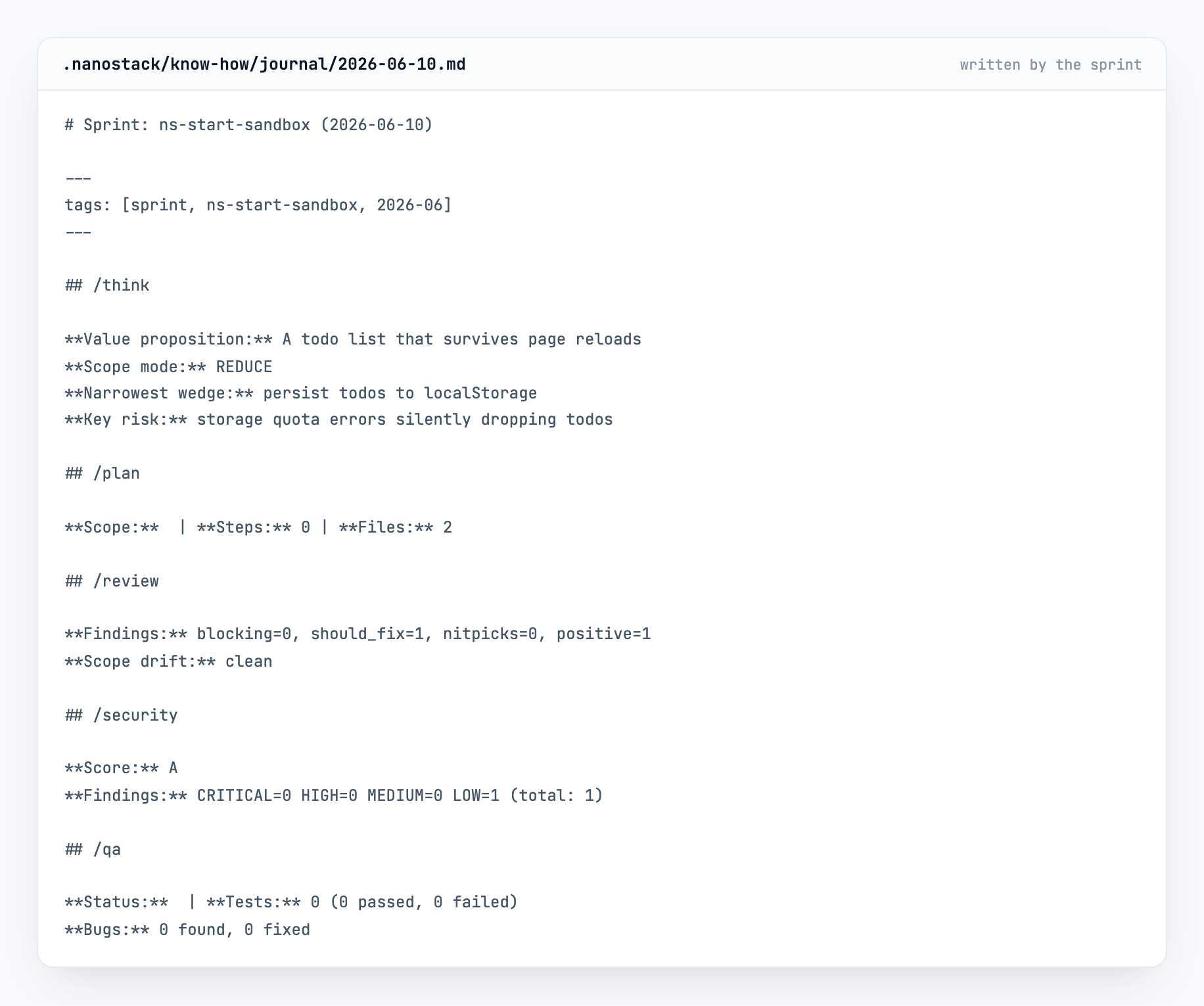
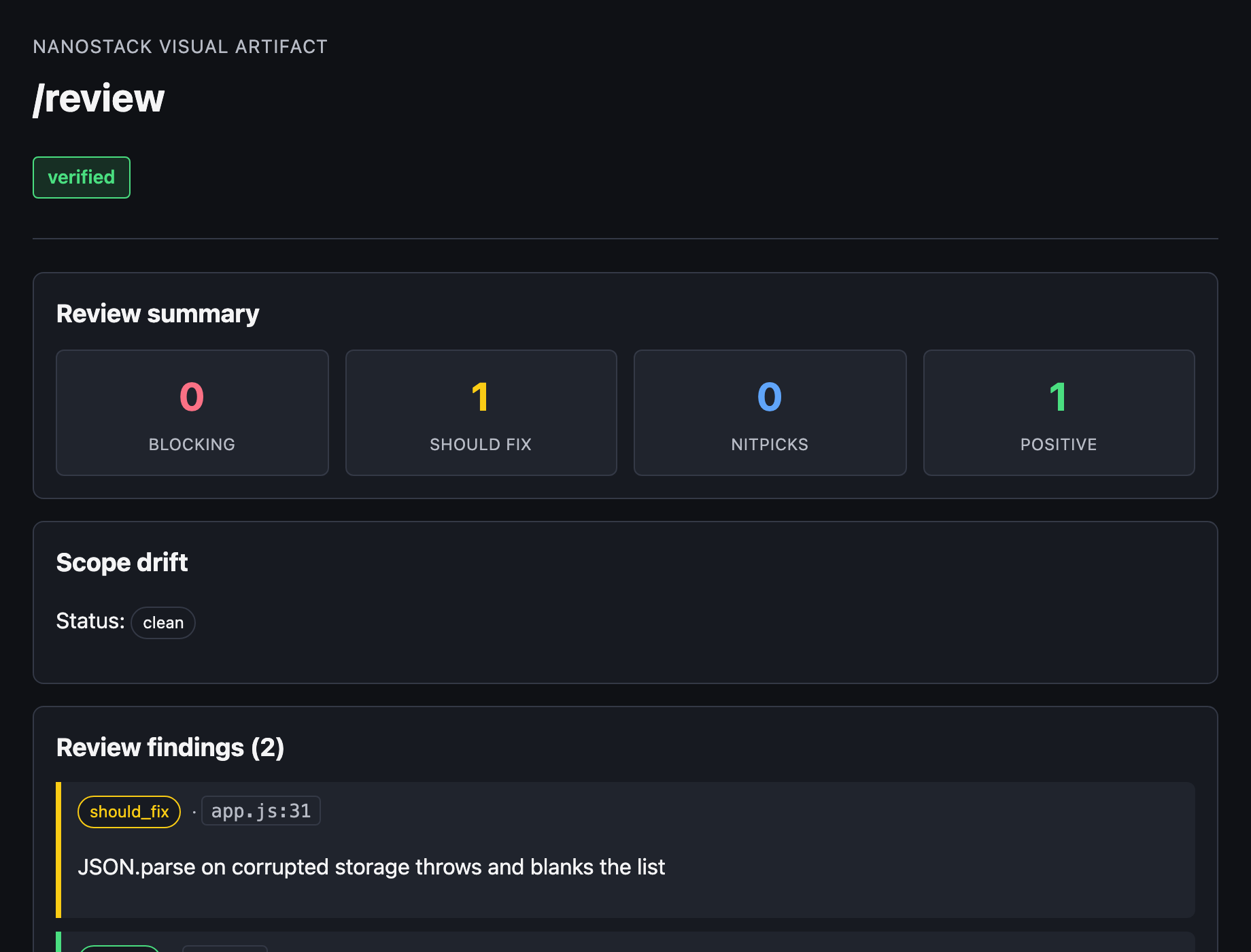
Review compares the diff against the plan and saves what it found. Then /security audits the change and grades it, and /qa opens the running app and tries the feature like a user would. Each one saves a checkpoint like this:
A real checkpoint from this sprint. Two files changed, two planned. One issue found and fixed. You can read every field.
6
/shipNothing ships without the evidence
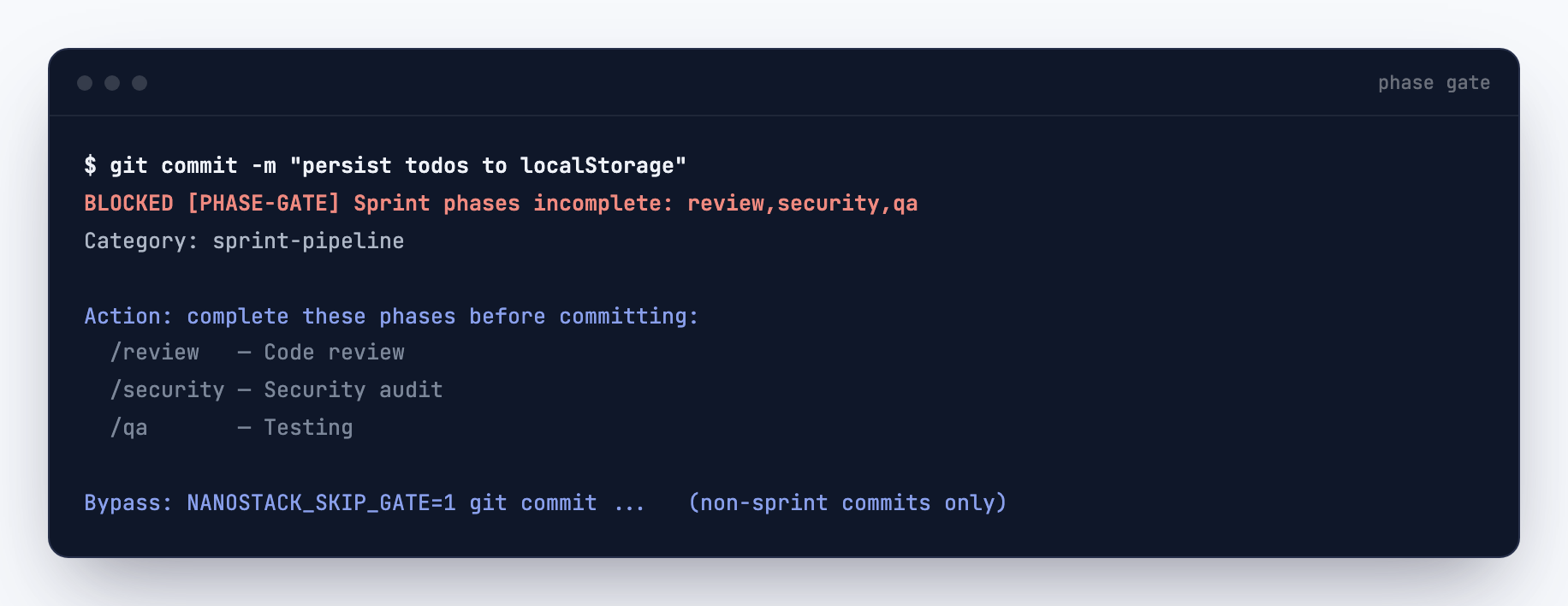
If you (or the agent) try to commit before the checks ran, the gate stops the commit and lists what is missing. Once review, security, and QA have saved their checkpoints, /ship opens a pull request that explains what changed and how it was verified.
Real output: a commit attempted before review, security, and QA. The gate blocks it and says exactly what is missing.
When nanostack says no
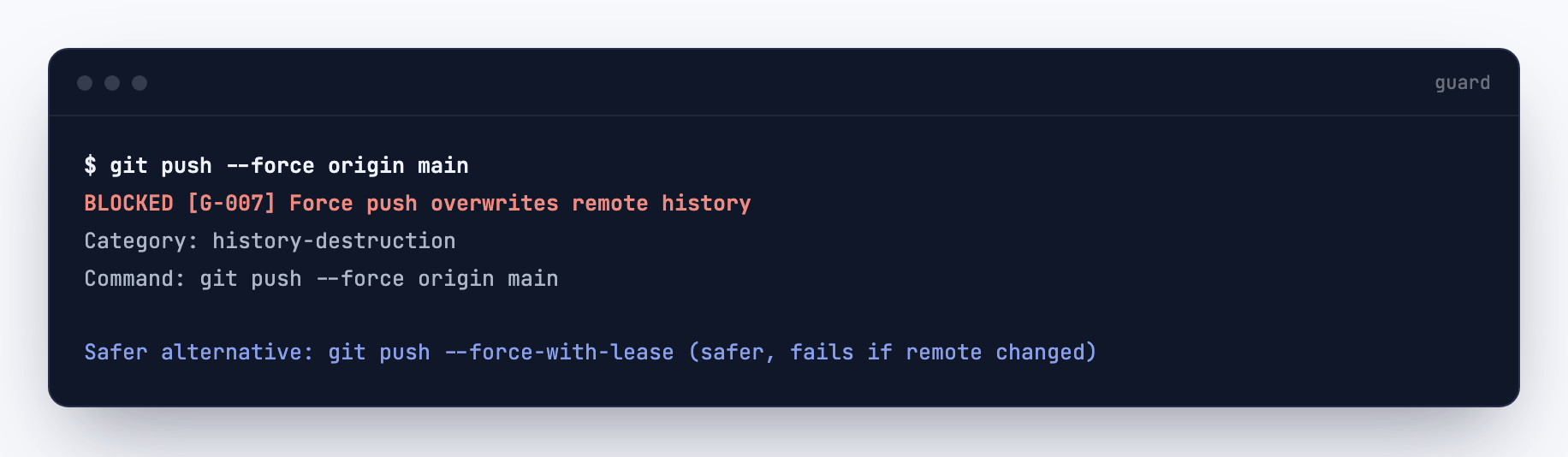
Sometimes the agent tries something risky without realizing it. Guard checks every command before it runs. A block is not an error: it names the rule, and it always suggests a safer way to do the same thing.
Real output: a force push blocked by rule G-007, with the safer alternative offered. The work continues; the damage does not.
What you keep
Every sprint leaves a journal you can read in plain language, and every checkpoint can be opened as a local page. Months later, you (or an engineer you hire) can see exactly what was built, what was checked, and why.
The real journal this sprint wrote, under .nanostack/ in the project.The same checkpoint rendered by nanostack's own viewer. Local HTML, no cloud.